

Your gallery, wherever you are.
Discover artworks, find something you love and send it straight to your Samsung Frame. Available on iPhone, Android and Mac.



Free download • Compatible with iOS 16+, Android 8.0+ or macOS 10.15+
From inspiration to your wall.
A simple way to discover, choose and display art on your Samsung Frame.
Discover
Explore curated collections by room, style, season and mood — or add your own photos.
Choose
Look closer at every piece and save the ones you love.
Send
Send one artwork or a whole collection to your TV with a tap, from the app.
Keep changing
Swap the art whenever you like. There’s a new collection every week.



See it in action
Browse, crop and send museum art to your Samsung Frame — all from your phone.
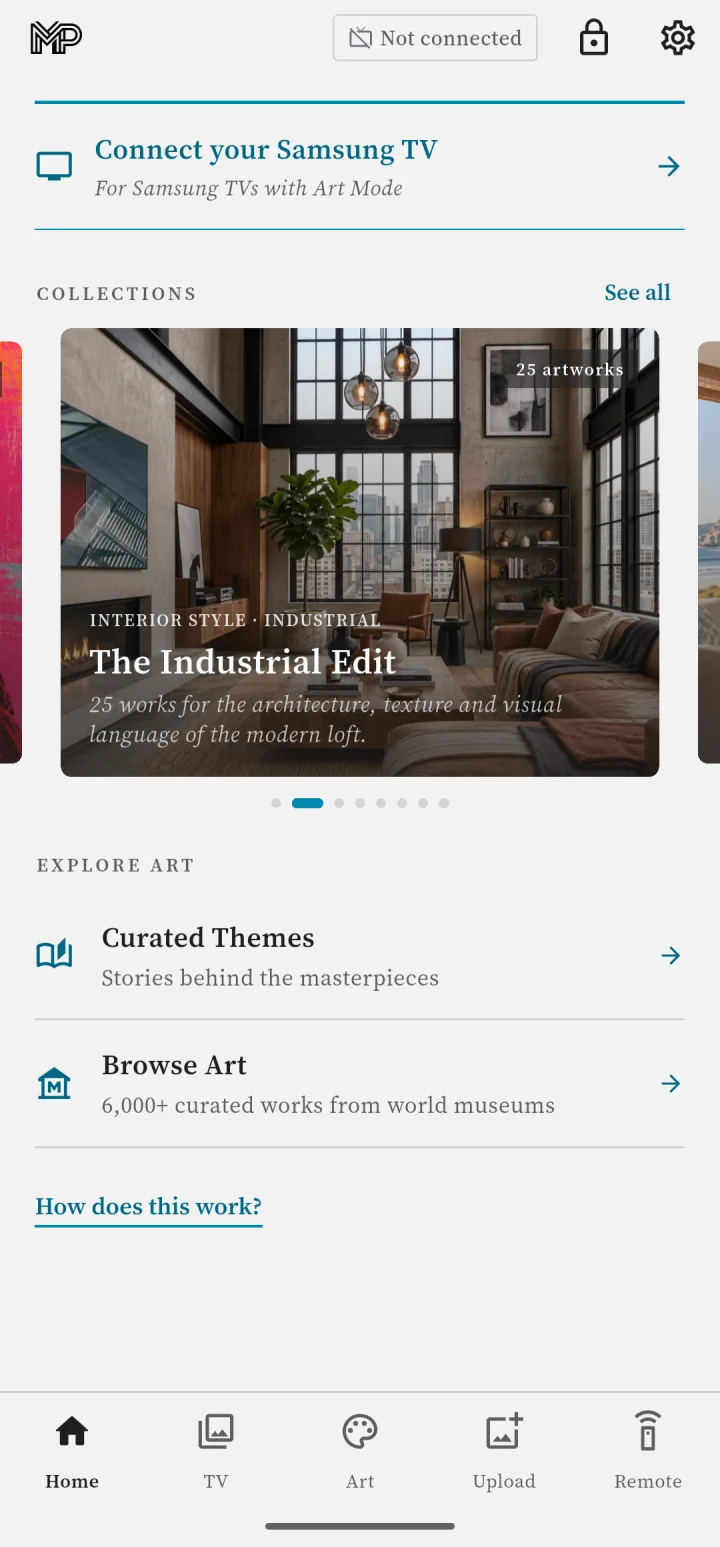
Connect your Samsung Frame in a few taps. 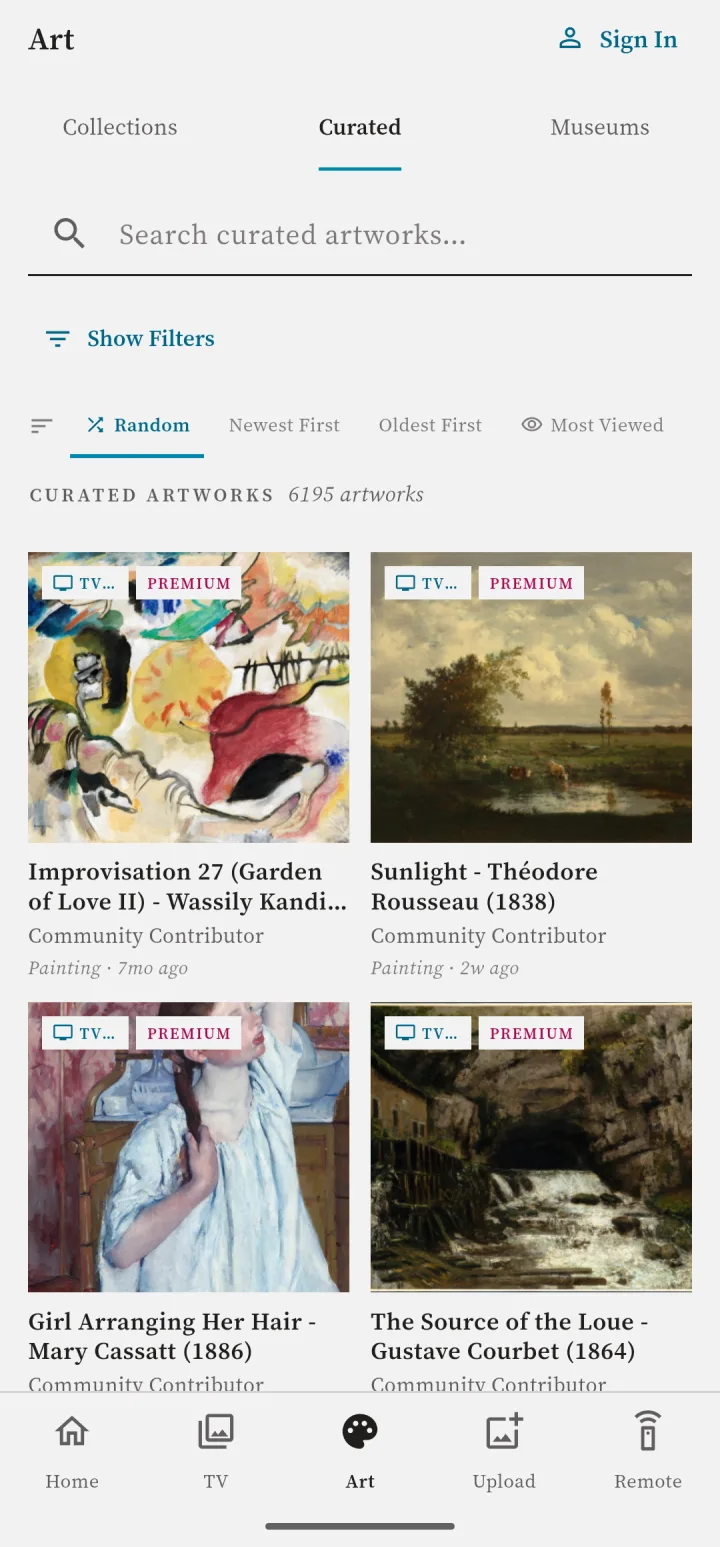
Explore 6,000+ curated artworks. 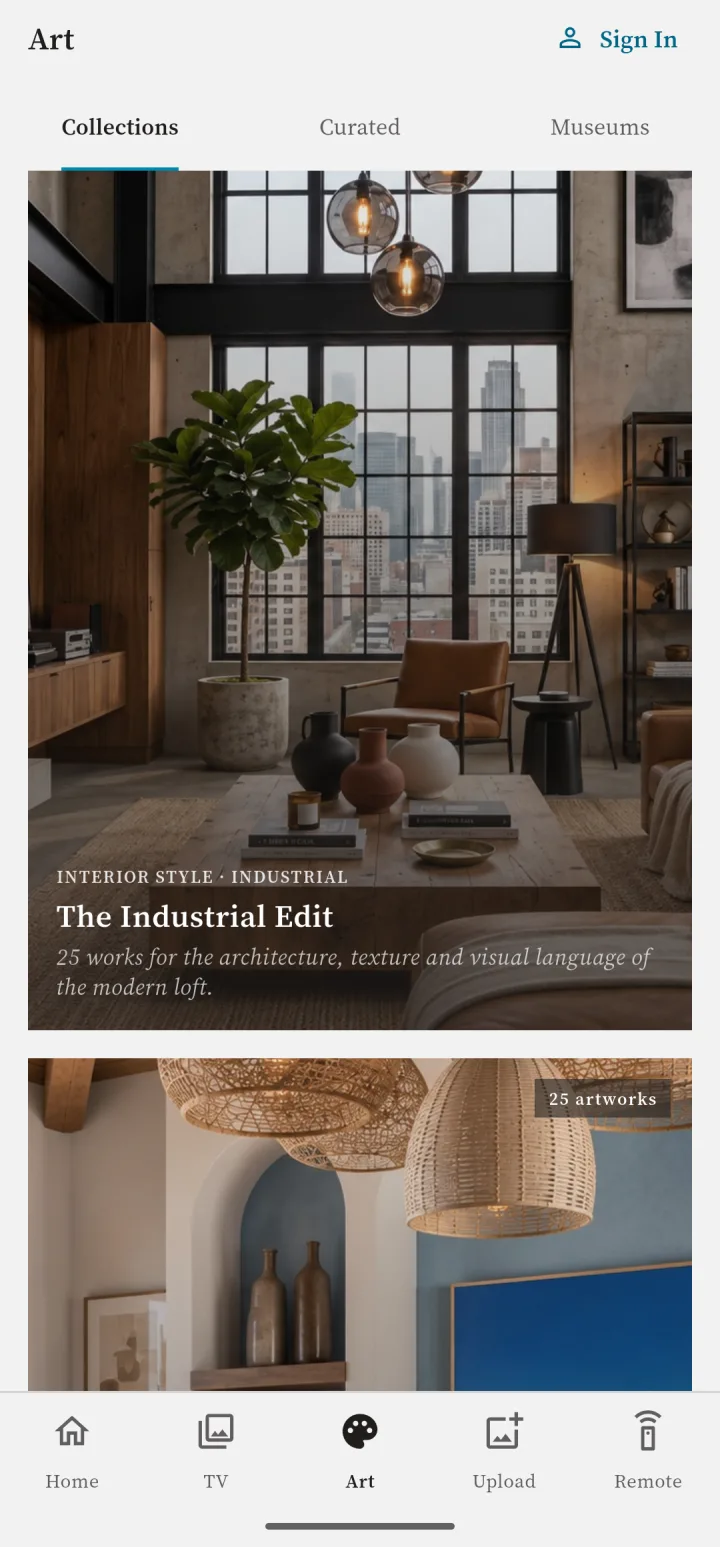
Find new collections by room, style and mood.
Everything You Need
A complete art experience, from discovery to display.
-
Control Samsung Frame TV
Send any artwork directly to your Frame TV's Art Mode. No cables, no USB drives.
-
520,000+ Artworks
Browse masterpieces from the world's greatest museums, all in one app.
-
21+ Matte Styles
Customize how your art looks with beautiful matte frames and borders.
-
Upload Your Photos
Display your personal photos alongside museum masterpieces.
-
Curated for you
Collections by room, style, season and mood, with a new one every week.
-
Save, organise, crop
Keep your favourites, name sets of your own photos and crop any artwork to fit your Frame.
Simple Pricing
Get started for free, or upgrade for the full experience.
Free
$0
- Browse all 520,000+ artworks
- Save favorites
- Preview matte styles
- 15 free TV syncs
Premium
$9.99/year
Cancel anytime · Less than $0.84/month
- Everything in Free
- Send to TV — unlimited syncs with one tap
- Download in HD, 4K & 8K
- Upload personal photos
- Narrated audio guides
- All 21+ matte styles
Available now on iPhone, Android and Mac
Frequently asked questions
Is the app free?
Yes — downloading the app, browsing 520,000+ artworks, saving favourites and previewing matte styles are all free. Sending art to your Frame and HD/4K/8K downloads are Premium, and new users get a few free syncs to try it first.
Which Samsung Frame TVs are supported?
Every Samsung The Frame from 2017 to the latest 2025 models.
Do my phone and TV need the same Wi-Fi?
Yes. Art is sent locally over your Wi-Fi network — no cloud upload, no SmartThings hub and no cables.
The app can't find my TV — what now?
If you use a VPN, turn it off and search again — VPNs and exit nodes usually route local traffic off your network, which hides the TV even though everything else still works. Beyond that: make sure the TV is fully on rather than in standby, and that both devices are on the same WiFi rather than a guest network.
Is there a Mac app?
Yes — MP Art for Mac is on the way to the Mac App Store, with the same library, the same send-to-TV over WiFi and the same Premium subscription. One subscription covers iPhone, Android, Mac and the web.
Can I cancel Premium?
Yes, anytime — manage or cancel your subscription in the App Store or Google Play.
My TV won’t connect or stopped syncing — what do I do?
Most connection problems are solved by the setup, resync and troubleshooting guide. Setup & troubleshooting →
Apple, the Apple logo, iPhone, and App Store are trademarks of Apple Inc., registered in the U.S. and other countries. Android and Google Play are trademarks of Google LLC.